

Where to see your plan
In the dashboard, open Settings → Plans:- Your plan shows your current plan, the price, the payment status, and the renewal date.
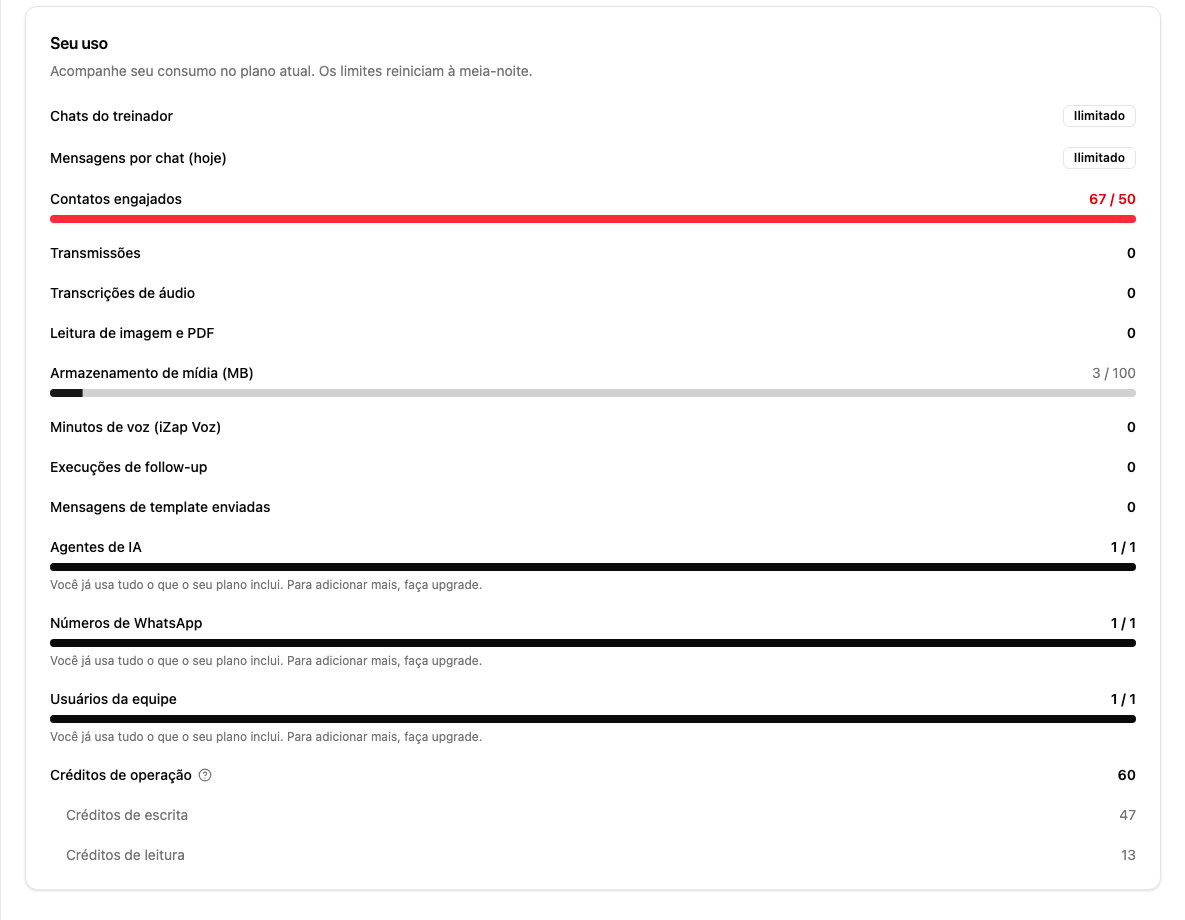
- Your usage shows how much of this month’s allowance you’ve used.
- Available plans lists the plans for your region and what each one includes. Use the Monthly, Quarterly, Half-yearly, and Yearly selector to see the discounted prices of longer periods.
What a handled contact is
Plans are measured in handled contacts per month, not in messages. In the dashboard’s own words:A handled contact is a unique number that exchanged at least one message with you through iZap during the cycle, counted once per cycle. It includes both AI and human conversations handled on the platform, as well as contacts who reply to a broadcast — even without AI involved. Imported history and conversations held outside iZap, directly in the WhatsApp app, don’t count.In practice:
- A long conversation counts the same as a short one: one contact, once per cycle.
- Someone who receives a broadcast only counts if they reply.
- Test conversations in the Trainer don’t count.
What happens when you reach the limit
- On the Free plan: the AI stops starting conversations with new contacts. Anyone already handled during the cycle keeps getting replies as usual, and you can keep replying to anyone manually.
- On paid plans: the AI doesn’t pause. Each contact beyond the allowance is charged separately, at the per-extra-contact price shown on the plan.
When the count resets
- Free plan: on the 1st of every month.
- Paid plans: every month, on your subscription’s renewal day.
Free trial
On a workspace’s first paid subscription, you get 7 days free: click Start 7-day free trial on the plan you choose. Your card is added at the start and billing begins automatically when the trial ends, unless you cancel before. The trial is available once per workspace. The trial ends on the plan and the billing period you picked, a yearly one included. To switch plan or period during the trial, first cancel the pending subscription in Manage subscription, then choose the new plan. Otherwise you can end up with two subscriptions. The new plan is charged right away, because the trial was already used.Change, pay, and cancel
- Change plan: in Available plans, click Change plan. Upgrades apply right away; downgrades only happen at the next renewal.
- Payments and invoices: are handled by Stripe, our payment processor. The available payment methods appear on the checkout screen.
- Cancel: click Manage subscription to open the subscription portal and cancel there.
- Refunds: write to [email protected]. Requests made on holidays may take one extra business day.
Sending the same template to many contacts
Sending one template with the same content to many contacts counts as a broadcast, whether you send it from the dashboard, ChatGPT or Claude. From about 20 sends of the same template, iZap treats them as a broadcast, and plans without the Broadcasts add-on stop the next sends. To send one by one, personalize each message, for example with a variable that holds the contact’s name or booking. Those count as individual messages.A charge you don’t recognize
- A charge after you cancelled: check that you’re signed in with the account that paid. A subscription made with another email only shows up in that account.
- A declined charge: if a renewal is declined, your bank can still show it for a few days as a pending charge. No money is taken, and the bank removes it on its own.
What Meta charges separately
iZap and Meta are two separate charges:- iZap subscription: your plan, measured in handled contacts.
- Meta fees: charged by Meta itself for WhatsApp messages.
Meta’s fees are always separate and charged by Meta itself, directly on your WhatsApp Business account (WABA). They do not go through iZap and are not included in any plan.That’s why Meta asks for a card during the number connection. Prices depend on the message type and the customer’s country — see Meta’s pricing page.