

- Operation credits — the month’s total.
- Write credits — actions that change something.
- Read credits — actions that only look something up.
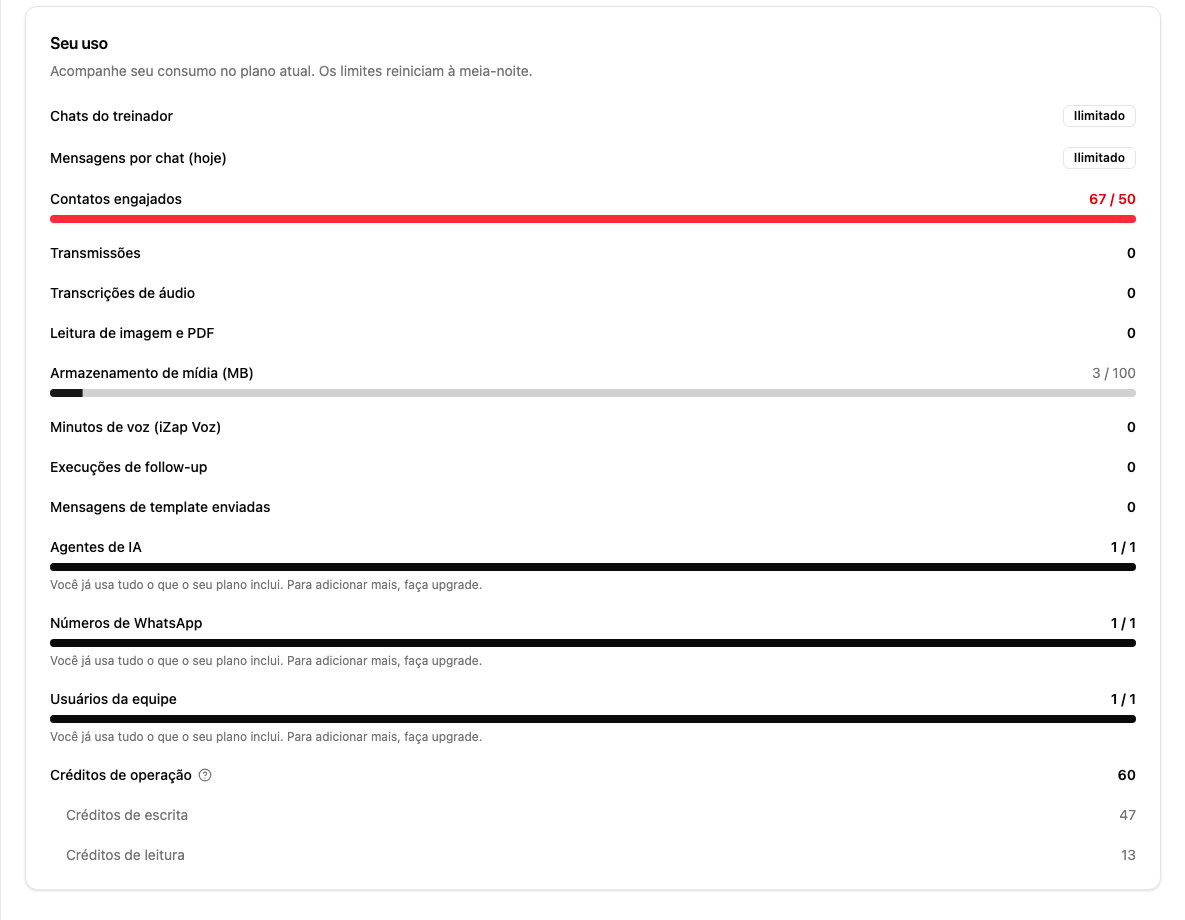
What spends a credit
A credit is charged when you, your team or one of your integrations asks iZap to do something. That happens in three ways:- You connect iZap to an AI assistant (such as ChatGPT or Claude) and ask it something: “how many messages did I get today?”, “list my contacts”.
- One of your systems uses the iZap API.
- You or a teammate sends a message by hand from the dashboard chat.
Reads
Looking information up, without changing anything:- Listing contacts, conversations or assistants
- Searching messages
- Viewing conversation statistics and reports
- Checking your approved message templates
- Checking the status of a message or a broadcast
Writes
Actions that create or change something:
Heavier actions cost more because they do more work at once. Sending a broadcast
costs 10 credits no matter how many recipients it has — the same price for 10
people or for 5,000.
What does not count
This is the part that confuses people most. Credits are not spent by:- Your AI assistant’s automatic replies to your customers. However much the AI talks all day, it spends no credits — that usage is measured by contacts handled by AI, on the same screen.
- Messages your customers send you.
- Browsing the dashboard: opening conversations, viewing contacts, reading reports.
When the count resets
On the first day of each month. Unlike the other limits on the Your usage screen, which reset at midnight, operation credits are monthly.Does this limit anything today?
No. Operation credits are informational for now: nothing is blocked because of them, and no plan carries a credit allowance. The number is on screen so you can follow what your integrations consume. The write/read split exists for the future: if an allowance is ever introduced, running out could stop new sends without stopping you from looking your own information up.If you build integrations and want the full list of operations and costs, see
the technical documentation at devs.izap.ai.